
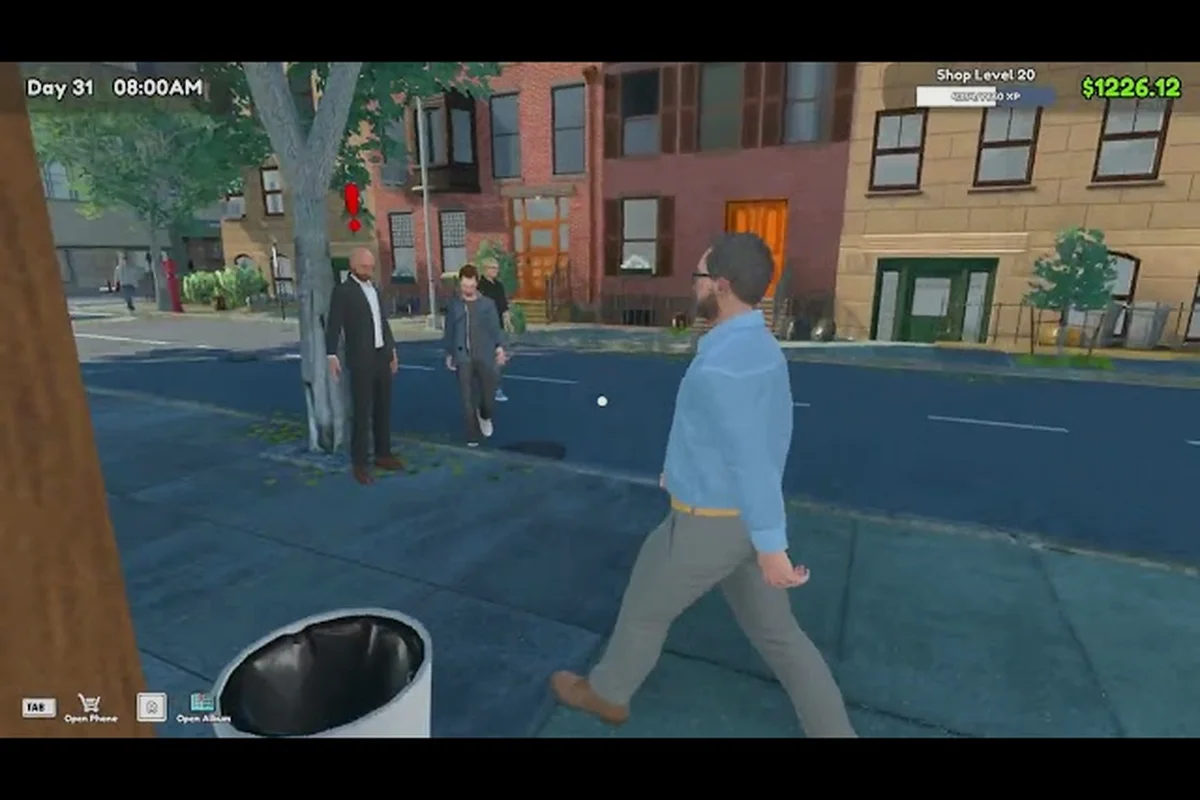
Running a profitable card shop in TCG Card Shop Simulator stops being a one-person operation the moment the queue starts spilling out the door. This TCG Card Shop Simulator staff guide breaks down how to hire workers through the Go Recruit app, ranks every employee from early-game bargain to late-game game-changer, and shows you which hire actually pushes your checkout speed into overdrive. By the end, you will know exactly which worker to chase, when to spend, and how to stage your roster across the whole mid and late game without burning your bankroll. Pair that analysis with our Afk Money breakdown to identify which workers keep stacking cash while you sleep, so the same ranking logic that sharpens your checkout also fuels a steady income stream long after you log off.
How Hiring Works in TCG Card Shop Simulator
Before chasing the best employee, you need to understand the pipeline that puts one behind your counter. Workers in TCG Card Shop Simulator are not bought from a vendor or rolled randomly; they are pulled from an in-game tablet called the Go Recruit app, which sits on your shop's front desk from the moment you unlock it.
According to the official announcement feed, the studio regularly posts developer updates that detail staff-hiring costs, wage scaling, and the unlock conditions tied to each shop reputation tier, making it the most reliable reference for fine-tuning your employee roster.
Unlocking the Go Recruit App
The Go Recruit app is part of the core progression track and is tied to your shop level. According to the official Steam page for the game, the title is a first-person management sim from OPNeon Games about running a local trading card store, and the staffing layer is a deliberate part of the gameplay loop. You will not see the app icon until you have banked enough experience from ringing up customers, restocking shelves, and clearing small milestones.
Once it unlocks, tap the tablet on the front counter and the candidate list appears. Each candidate shows three core stats (checkout speed, restock speed, and a unique specialty), plus a hire fee and a daily wage. The list rotates, so if the roster looks underwhelming, sleep through a few in-game days and new faces will rotate in.
The Top Recruiter Achievement and the Nine-Worker Roster
Players who want the full nine-worker roster need to commit. According to community data from the r/TCGCardShopSimulator subreddit, bringing the full roster online is tied to the Top Recruiter achievement, and the total hire cost runs into five figures, so most players stage the roster across the whole mid and late game rather than buying it in one go. That pacing matters because each new hire also inflates your daily salary overhead, and a nine-worker payroll can quietly bleed your shop dry if you scale faster than your revenue.
| Roster Stage | Workers Hired | Approx. Total Spend | Daily Wage Pressure |
|---|---|---|---|
| Starter pair | 2 | Low four figures | Manageable on Day 2 revenue |
| Mid-game core | 5 | Mid four figures | Noticeable but sustainable |
| Late-game full roster | 9 | Five figures | Top-line revenue required |
The Worker Tier List at a Glance
Not every hire is worth the same money, and the gap between a budget benchwarmer and the top of the roster is enormous. The roster splits cleanly into specialists and generalists, and the top-rated hire combines the best checkout and restock speeds in the game but costs a five-figure hire fee and the highest daily wage, making him a late-game purchase rather than a first-week splurge, based on player testing reported on the Steam community discussions.
Tier Definitions
The tier list below sorts all nine candidates by total value (speed stats, specialty utility, and salary efficiency). Use it as a snapshot; the detailed breakdowns follow in the next section.
| Tier | Workers | Role | When to Hire |
|---|---|---|---|
| S | Top checkout ace | Fastest register + restock combo | Late game, post-five-figure bankroll |
| A | Two specialists | Strong at one task, decent at the other | Mid game, after the first two hires |
| B | Three generalists | Balanced, no standout | Early to mid game |
| C | Two budget hires | Cheap but slow | Day 1, before the app rotates |
Why the Tier Order Matters
The tier list is not a beauty contest. A C-tier budget hire is genuinely useful on day one because you cannot run the shop solo once the first lunch rush hits, and a slow body at the counter beats an empty register. An S-tier ace is wasted on a shop that only sees ten customers a day, because their wage will eat the margin. The right move is to promote workers up the tier ladder as your daily revenue grows, which is also why the TCG Card Shop Simulator late game progression guide recommends aligning hiring waves with shop upgrades rather than chasing names.
Every Worker Ranked From Best to Worst
This is the full roster, in order from the employee that earns his wage many times over to the benchwarmer you hire because the app gave you no other option. Stats reflect the values reported by the community on the Steam discussions hub; exact numbers may shift with patches, so treat them as a working baseline.
S Tier — The Top Checkout Ace
The headline worker is a generalist with the highest checkout speed and the highest restock speed in the game, paired with a specialty that buffs the most common customer type. He commands a five-figure hire fee and the highest daily wage on the roster, which is why most players only sign his contract after the shop has already broken into comfortable profit. Once he is behind the counter, queue times collapse and shelf gaps stop costing you impulse sales.
| Stat | Value | Rank |
|---|---|---|
| Checkout Speed | Highest in game | #1 of 9 |
| Restock Speed | Highest in game | #1 of 9 |
| Specialty | High-traffic customer buff | Unique |
| Hire Fee | Five figures | Most expensive |
| Daily Wage | Highest on roster | Highest |
A Tier — The Two Specialists
Two workers sit firmly in A tier, each one a clear best-in-class at a single job. The first is a checkout specialist whose register speed rivals the S-tier ace but whose restock speed is merely average, so you place him at the front register and leave shelf duty to someone else. The second is a restock specialist who keeps the display cases full at all hours, which matters more than it sounds because empty shelves silently kill walk-up sales.
| Worker | Specialty | Checkout | Restock | Best Use |
|---|---|---|---|---|
| Register Specialist | Checkout | Top 2 | Mid | Front counter, peak hours |
| Shelf Specialist | Restocking | Mid | Top 2 | Floor duty, off-peak coverage |
B Tier — The Three Generalists
The B tier holds the most common early-to-mid game pulls. These workers do not lead in any single stat, but they do not have a glaring weakness either, which makes them perfect for the awkward stretch where you need bodies at the counter but cannot justify a specialist's wage. Run two of them through peak lunch service and pair the third with a bench shift on restock duty.
C Tier — The Two Budget Hires
The C tier is where the Go Recruit app pads its rotation with low-cost, low-output candidates. Their checkout speed is the slowest on the roster, and their specialty rarely matches what your shop actually needs, but they are cheap to hire and even cheaper to fire, so they serve as a bridge until the app rolls something better. Hiring them on day one is a valid strategy because a slow worker is still faster than a player character glued to the cash register while the queue grows.
Strategy: Building a Profitable Roster
Knowing the tier list is only half the battle; deploying it well is what separates a profitable shop from a payroll fire. The strategy below sequences your hiring waves to match your revenue curve, which is the same staging pattern experienced players use when chasing the Top Recruiter achievement without going bankrupt.
Stage 1: Day One Coverage (2 Workers)
Your first move after unlocking the Go Recruit app is to hire two C-tier workers immediately, even if better candidates feel "wasted" as bench filler. Two bodies let you serve the lunch rush without babysitting the register, and their combined wage is small enough that early-day margins absorb it. Think of this stage as buying back your time so you can actually run the shop instead of standing behind a counter.
Stage 2: Mid Game Core (5 Workers)
Once daily revenue stabilizes and you have banked enough to cover a week of payroll, promote the roster. Fire or sideline the weakest C-tier hire, then bring in one A-tier specialist and two B-tier generalists. This five-worker core covers peak hours on two registers, keeps shelves stocked, and leaves a bench worker for the late shift. The salary jump is real, but the throughput jump pays for it within a few in-game days, which is also why the TCG Card Shop Simulator late game guide flags this transition as the most important hiring window in the entire run.
Stage 3: Late Game Full Roster (9 Workers)
The final stage is where the S-tier ace enters the picture. By this point, your shop should be turning enough daily profit to support the highest wage on the roster, and the S-tier hire's combined speed advantage translates directly into shorter queues and higher turnover. Fill the remaining slots with whatever B-tier generalists the app is offering, and resist the urge to chase another specialist unless the second register is genuinely underperforming.
| Stage | Roster Size | Daily Wage | Revenue Target |
|---|---|---|---|
| Stage 1 | 2 | Low | Cover payroll from day 2 onward |
| Stage 2 | 5 | Mid | Sustain through a full in-game week |
| Stage 3 | 9 | High | Profit margin comfortably above wage bill |
Salary Management and Firing
Firing is free and instant, so do not treat a bad hire as a permanent commitment. If a C-tier worker is dragging down register speed during peak hours, swap them out the moment a better candidate rotates in. Workers also do not gain experience or level up in the traditional sense, so there is no penalty for cycling the bottom of the roster in search of an upgrade.
The Go Recruit App Rotation and Timing Your Hires
The Go Recruit app does not show every worker at once; it cycles a small selection, and the candidate pool shifts every in-game day. That rotation system is the single most important hiring mechanic to learn, because timing your checks of the app is the difference between snagging an S-tier ace on his first appearance and missing him entirely.
Reading the Candidate Card
Each card on the Go Recruit app shows four pieces of information: the candidate's name, their three core stats, their specialty, and the combined hire fee plus first-day wage. The order of the cards does not indicate quality, so read every card before committing. Community testing on the Steam discussions hub has flagged a few specific patterns, including the tendency for higher-tier candidates to appear less frequently, which is part of why the S-tier ace feels rare even when the app rotates daily.
When to Recheck the App
Check the Go Recruit app at the start of every in-game day, and again after any major milestone (shop upgrade, revenue spike, achievement unlock). These moments have a higher chance of refreshing the candidate pool with stronger options, and they are also the times when you can actually afford the upgrade. Burning five minutes rechecking the app on a low-revenue day is wasted effort, because even if an S-tier ace appears, you cannot sign him without crippling your payroll.
Common Hiring Mistakes
The most common mistake new shop owners make is hiring the first three candidates the app shows on day one, which usually means three C-tier workers and a payroll you cannot cover by day four. The second most common mistake is hoarding cash for the S-tier ace while running a solo shop through the mid-game rush, which costs far more in lost sales than the wage of two B-tier generalists would have. Stage your hires, recheck the app daily, and treat the S-tier ace as a reward for hitting your revenue goals rather than a prerequisite for running the shop.
Frequently Asked Questions
What is the fastest checkout worker in TCG Card Shop Simulator?
The S-tier ace at the top of the TCG Card Shop Simulator worker tier list holds the highest checkout speed on the roster, paired with the highest restock speed, but his five-figure hire fee and top-of-roster daily wage make him a late-game hire rather than a first-day pickup. Until you can cover his salary, the A-tier register specialist is the best practical choice for the front counter.
How do I unlock the Go Recruit app in TCG Card Shop Simulator?
The Go Recruit app is gated behind shop level, so you need to bank experience from ringing up customers, restocking shelves, and clearing early milestones before the tablet appears on the front counter. Once it unlocks, tap the tablet to open the candidate list and start your first hire; the cheapest workers are usually available immediately, with stronger candidates rotating in over the following in-game days.
Is the TCG Card Shop Simulator best employee worth the five-figure hire fee?
Yes, but only after your daily revenue comfortably covers the highest wage on the roster. Hiring the S-tier ace too early wrecks your margins because his salary outpaces what a low-traffic shop can earn, which is why most players stage the purchase for the late game. Treat the fee as a reward for hitting your revenue curve, not a shortcut to it, and pair him with a restock specialist to maximize his value.
How many workers do I need for the Top Recruiter achievement?
The Top Recruiter achievement requires the full nine-worker roster, and the total hire cost runs into five figures according to community reports on the r/TCGCardShopSimulator subreddit. Most players spread the hires across the whole mid and late game to keep daily wages manageable, starting with two C-tier budget hires, promoting through A-tier specialists in the mid game, and signing the S-tier ace last.