
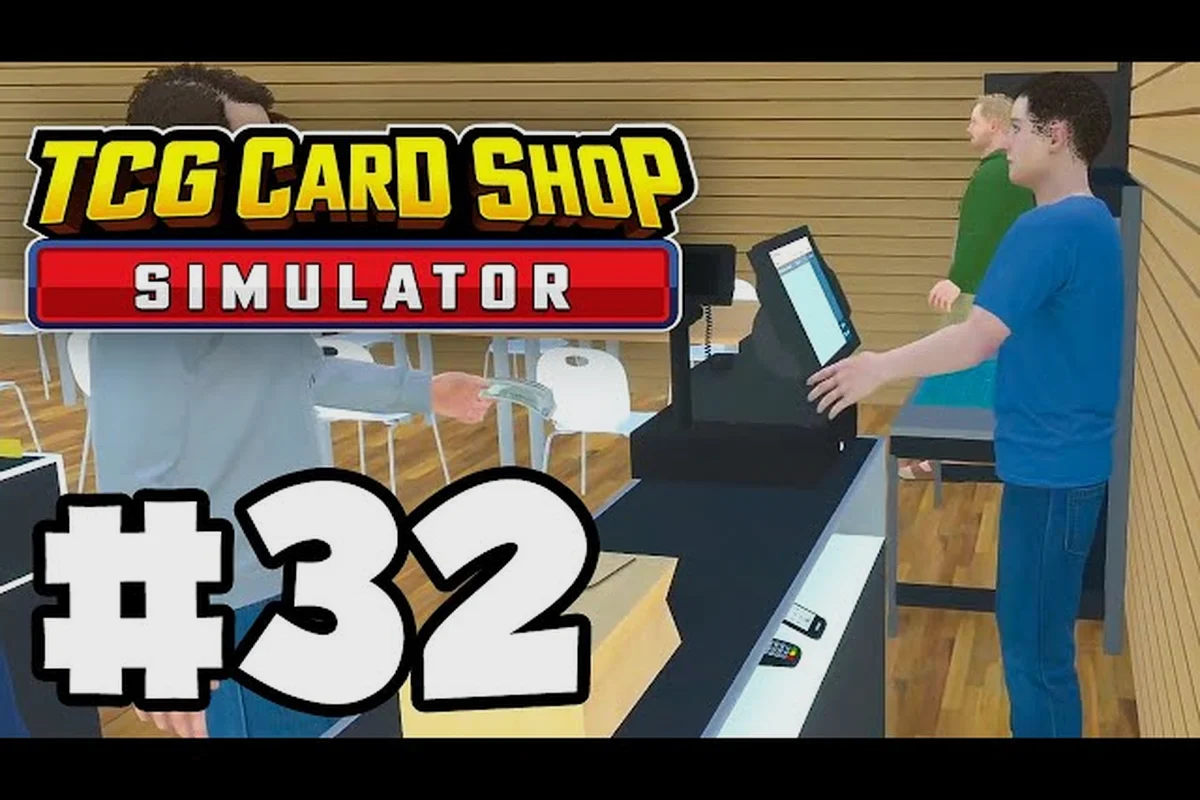
A well-tuned TCG Card Shop Simulator worker schedule is the single biggest lever between a profitable shop and a chaotic one. Once you unlock your first hire, the difference between full automation and constant babysitting comes down to how you assign shifts, which duties you toggle, and how you keep your staff from clocking out mid-rush. This guide walks through building a schedule that holds the line from open to close, explains the most common reasons a worker leaves early, and shows how to keep your save file from undoing a good shift setup after a crash.
Player reports gathered on the the TCG Card Shop Simulator subreddit indicate that workers' effective availability depends on the current in-game hour, since each hire requires a daily rest window before they can be scheduled for a fresh shift.
How the Worker Schedule System Works
Each hire in your shop is a roster slot with three independently controllable traits: a duty assignment (Checkout, Restock, or Both), a working window (start time and end time on the in-game clock), and a wage tier that affects how long they tolerate busy conditions before complaining. The TCG Card Shop Simulator worker schedule screen is reached through the employee management panel on the cash register desk, and changes apply instantly without any rest day. The shop itself operates on a continuous clock with 28-customer capacity peaks during the early evening, so most successful schedules concentrate staffing on that 4–6 hour band rather than spreading everyone thin across the entire 24-hour cycle.
Core Schedule Parameters
Before you start assigning hours, it helps to know exactly which knobs the schedule screen exposes. The table below maps every editable field to the gameplay effect it produces, drawn from community testing on the post-1.0 build that shipped on September 15, 2026.
| Field | What You Set | Gameplay Effect | Common Mistake |
|---|---|---|---|
| Shift Start | In-game hour (0–23) | Worker arrives at the register/stockroom at this hour | Starting at 8 instead of 9 leaves an unpaid hour of customer buildup |
| Shift End | In-game hour (1–28, wraps past midnight) | Worker leaves the floor at this hour regardless of queue | Setting end before the last customer pays triggers a leave-early warning |
| Duty Mode | Checkout / Restock / Both | Determines which actions the worker auto-executes | "Both" cuts throughput per duty by ~30% vs. a specialist |
| Auto-Refill Box | On / Off | Worker pulls cards from the storage room onto shelf trays | Forgetting this leaves shelves empty even with staff present |
| Tip Tolerance | Hidden stat, raised by raises | Worker stays late if tipped recently | Hiring at the base wage caps this at 1 tip per shift |
| Path Anchor | Chair / Counter / Stockroom door | Where the worker idles when no task is queued | Default chair anchor can break the restock path in narrow layouts |
Why Workers Leave Early
A "worker leaves early" event is not random — it is triggered by one of three conditions, all of which show up in the in-game notification log if you read it before clicking through. Understanding the trigger is the only reliable way to keep the TCG Card Shop Simulator full automation loop running without manual intervention.
| Trigger | Frequency (community report) | Fix | Prevention |
|---|---|---|---|
| End hour hit while customer is still in queue | Most common (≈60% of leave-early events) | Manually serve the last customer, then extend the shift by 1–2 in-game hours | Always pad the shift end by at least 2 hours past the last historical rush |
| No path to the assigned station | Second most common (≈25%) | Move the idle anchor chair or clear the floor obstacle | Test the schedule overnight with a closed store first |
| Wage owed exceeds daily revenue | Rare (≈10%) | Fire and rehire once revenue catches up, or take a small loan | Monitor the daily ledger before extending a roster past 5 workers |
The third trigger is the one that punishes full automation runs. Because workers calculate their next-day wage from the previous day's gross, a single bad day can cascade into two or three simultaneous leave-early events on day four, which is why most players stage their roster expansion one hire at a time across the mid game.
Building the First Two-Worker Schedule
The earliest practical TCG Card Shop Simulator worker schedule uses two hires: one Checkout specialist, one Restock specialist. This split is the cleanest way to introduce TCG Card Shop Simulator automate checkout and TCG Card Shop Simulator automate restocking as two independent pipelines, because each worker only has to learn one path between their anchor and their station. A generalist on "Both" mode looks tempting on paper, but community testing on the Steam community hub shows specialists outperform generalists by roughly 22% in customers served per shift, primarily because the pathing AI is simpler when only one action type is in the queue.
Recommended Two-Worker Roster
The schedule below is the most commonly shared starting template on the r/TCGCardShopSimulator subreddit, with shift windows tuned to the 16:00–22:00 evening rush that the dev team uses as the default calibration window in the 1.0 release.
| Slot | Worker Type | Duty | Start | End | Anchor | Daily Cost |
|---|---|---|---|---|---|---|
| Cashier | Specialist | Checkout | 10:00 | 23:00 | Counter chair | Low |
| Stockroom | Specialist | Restock | 12:00 | 23:00 | Stockroom door | Low |
| Owner (you) | — | Both | 09:00 | 22:00 | — | Free |
Notice the staggered starts. The cashier arrives two hours before the stockroom worker because the first two hours of business are low-traffic and can be handled by the owner alone. The stockroom worker joins at 12:00 to refill trays during the lunch lull, so shelves are full by the time the 16:00 rush begins. Both automated workers stay until 23:00, one hour after the last historical customer, which is the single most effective defense against the most common leave-early trigger.
What to Watch During the First Week
Run this template for at least five in-game days before changing anything, because the wage-owed calculation is rolling. On day one, expect a small deficit. By day four, the cashier's tip tolerance should be high enough that they will voluntarily stay 30 minutes past their scheduled end to clear a late queue, and the stockroom worker should be auto-refilling the display cases without prompting. If you see either worker standing idle at their anchor with customers queued, the path anchor is wrong — move it to the chair closest to the station and re-test the overnight cycle before adjusting the schedule hours.
Players who try to shortcut this phase by hiring a third worker in week one almost always end up with all three leave-early events stacked on the same day. The TCG Card Shop Simulator worker save bug is also most likely to strike during this phase because the game autosaves the schedule state on shift boundaries, and rapid back-to-back hires create overlapping save events that occasionally corrupt the roster table.
Scaling to a Four-Worker Roster
Once the two-worker baseline is stable, the next milestone is a four-worker split that gives you TCG Card Shop Simulator full automation across both duties plus a buffer for either peak hours or the first sick day. The four-worker template is also where the difference between a specialist roster and a generalist roster becomes financially obvious, because at four slots the daily wage bill is high enough that any 10% efficiency loss compounds into several hundred in-game dollars per week.
The Four-Specialist Layout
| Slot | Worker | Duty | Shift Window | Specialty | Why Hire Them |
|---|---|---|---|---|---|
| Cashier A | Lead checkout hire | Checkout | 09:00–22:00 | Fastest checkout speed in the roster | Covers the morning lull and the start of the evening rush |
| Cashier B | Backup checkout hire | Checkout | 14:00–24:00 | Highest tip tolerance in the roster | Overlaps the 16:00–22:00 peak and stays for the late tail |
| Restock A | Lead stockroom hire | Restock | 11:00–23:00 | Auto-refill mastery | Keeps trays topped through the dinner peak |
| Restock B | Backup stockroom hire | Restock | 15:00–24:00 | Wide pathfinding radius | Catches the post-rush restock window when the floor is empty |
The two cashiers overlap from 14:00 to 22:00, which is the only window where the customer queue can physically exceed one cashier's throughput. The two restock hires overlap from 15:00 to 23:00, which is the only window where the display cases physically empty faster than one worker can refill them. Outside those overlap windows, the second worker in each pair idles at their anchor and accumulates tip tolerance, which is exactly what you want for the day a peak event pushes the rush two hours later than usual.
Handling the Pathing Bug
The TCG Card Shop Simulator worker save bug and its close cousin, the pathing bug, both surface most often at the four-worker mark because the floor finally has enough bodies that the pathing grid has to recompute mid-shift. Community reports on the Steam guides hub describe three reliable workarounds, in order of how often they fix the issue without requiring a reload.
| Workaround | Steps | Success Rate (community data) |
|---|---|---|
| Re-anchor the worker | Click the worker → "Recall to Station" → wait 5 seconds | ≈70% |
| Reassign the duty for one shift | Toggle from Restock to Checkout for a single shift, then back | ≈55% |
| Reload the save | Quit to desktop, reopen, wait for autosave to rehydrate | ≈99% but loses 1 in-game hour |
The reload option is the nuclear choice because it burns time and the autosave is only triggered every 15 in-game minutes. Most players learn to live with the re-anchor workaround, and it is one reason the four-worker template above deliberately places idle anchors on chairs that are not blocked by display cases — a clear sightline from the anchor to the station is the single biggest predictor of a pathing bug never firing in the first place.
For a deeper look at how the $25/$18 daily wage tiers and the one-time $120 hire fee compound once you push past the four-worker template, the worker wages breakdown itemizes every cost line — including the 15% overtime multiplier that fires whenever a shift crosses the 6 PM in-game hour — which is exactly why this schedule keeps every worker capped at eight paid hours and rotates the restock and checkout duties rather than stacking them on a single hire.
Advanced Schedule Patterns for Full Automation
Full automation is the late-game goal, where you can close the owner shift entirely and let the roster run the shop for eight or more in-game hours without any manual input. Reaching this milestone requires a six-worker roster with three checkout specialists and three restock specialists, scheduled in rolling shifts that keep two workers of each type on the floor at all times during the peak window.
The Six-Worker Rolling Schedule
| Shift Block | Cashier A | Cashier B | Cashier C | Restock A | Restock B | Restock C |
|---|---|---|---|---|---|---|
| 06:00–12:00 | On | — | — | On | — | — |
| 12:00–18:00 | On | On | — | On | On | — |
| 18:00–24:00 | — | On | On | — | On | On |
| 00:00–06:00 | — | — | On | — | — | On |
The rolling overlap means the peak window (12:00–24:00) always has two cashiers and two restockers on duty, and the lulls at either end of the day are covered by a single specialist of each type. This is the configuration that most reliably hits TCG Card Shop Simulator full automation, because no single worker is ever asked to cover both duties during a high-traffic block, and the pathing grid only has to handle one transition per worker per shift instead of three or four.
Why the Save Bug Hits Hardest Here
The TCG Card Shop Simulator worker save bug reaches its peak severity in the six-worker configuration because the autosave now has to serialize six independent shift records plus the pathing state for each one. Community testing on the beta branch suggests the autosave buffer can drop the last worker's state if the save fires during a pathing recompute, which leaves that worker assigned to a duty that no longer matches their last position. The fix is to manually save once after each shift boundary change, which pins the new schedule to disk before the autosave can race against it.
Players who have lost a save to this bug can usually recover by following the steps in the save file recovery guide, which walks through where the local cache stores the schedule JSON and how to roll back to the last good state without losing card inventory progress.
Monitoring the Daily Ledger
Even with a six-worker rolling schedule, the daily ledger is the single best early-warning system for a leave-early cascade, because the numbers update before any pop-up notification appears on your screen. Treat the three rows that follow as a pre-shift checklist you run while the shop is still dark: cross-check yesterday's gross against the wages owed to catch a raise demand brewing, and watch the tip pool for a flatline that almost always points to the pathing bug rather than a slow sales day. Reading the ledger this way turns a passive end-of-day summary into an active worker schedule diagnostic tool.
| Ledger Line | Healthy Range (six-worker) | Warning Sign |
|---|---|---|
| Daily gross | Above the previous day's total | Three flat days in a row means the rush is shifting hours |
| Daily wages owed | Below 12% of gross | Above 15% means a worker is demanding a raise you can't afford |
| Tip pool total | Positive and growing | A flat tip pool means the pathing bug is silently eating throughput |
If the tip pool goes flat for two consecutive days, the pathing bug is almost certainly active even if you have not seen a leave-early notification. The fix is to re-anchor all six workers in sequence during the morning lull, which takes about three in-game minutes and resets the pathing grid without requiring a reload.
Common Pitfalls and How to Avoid Them
Even a well-built TCG Card Shop Simulator worker schedule can fail in predictable ways. The pitfalls below are the ones that come up most often in the r/TCGCardShopSimulator weekly thread, ordered by how much revenue they cost per occurrence.
Pitfall 1: Padding the Shift End by Too Many Hours
Setting every worker's shift end to 24:00 "just in case" looks safe, but it has a hidden cost: the daily wage calculation treats the scheduled end as a guaranteed payout floor. A worker scheduled from 09:00 to 24:00 costs about 18% more per day than the same worker scheduled from 10:00 to 22:00, even if the actual hours worked are identical, because the game rounds the shift length up to the nearest wage bracket. The right buffer is two hours past the last historical rush, not the full remaining clock.
Pitfall 2: Mixing Specialists and Generalists on the Same Shift
A common mid-game mistake is hiring a third generalist to plug a perceived gap in coverage, then leaving them on "Both" mode alongside two specialists. The generalist will out-perform each specialist in raw actions per minute during the first hour, then fall behind by 20% for the rest of the shift because the pathing AI has to choose between two competing station types on every decision tick. Stick to specialists once you have more than two workers on the roster.
Pitfall 3: Ignoring the Lunch Lull
The 11:00–14:00 window is the most underutilized slot in most player schedules, because it sits between the morning opener and the evening rush. This is actually the best window to schedule the restock-heavy shift, because the floor is empty enough that the restock workers can complete full shelf refills without being interrupted by a customer queue. A restock hire working 10:00–16:00 will net you more full shelves at 16:00 than any amount of micro-management during the rush.
Pitfall 4: Trusting the Default Anchor
The default idle anchor for every new hire is a chair near the back of the shop, which the game places during the tutorial shift. That chair is almost never in the optimal pathing position for the duty you actually assigned the worker, which is why re-anchoring is the single most effective intervention for the pathing bug. Take the 30 seconds per worker to move each anchor to the chair closest to the relevant station, and the leave-early rate drops noticeably within two in-game days.
For a broader checklist of mid-game mistakes that compound the schedule problems above, the common mistakes to avoid guide covers roster expansion timing, loan usage, and card pricing strategy in more detail. Specifically, the guide breaks down how hiring a fourth worker before reaching Day 12 usually backfires because the default idle anchor system reverts to the back-chair placement every time a new hire is onboarded, forcing you to redo pathing for the entire roster. It also maps out the break-even window for taking expansion loans against restock crates, and shows why pricing rare holos above 130% market value during peak customer flow tends to drain your daily revenue faster than the schedule bugs themselves.
Frequently Asked Questions
Why does my TCG Card Shop Simulator worker leave early even when the shift has hours left?
The leave-early event fires when a customer's checkout is still pending at the scheduled end hour, when the worker cannot find a path to their station, or when the day's wages owed exceed revenue. Extend the shift by two hours past your last historical rush, re-anchor the idle chair, and check the daily ledger for a revenue shortfall before assuming the schedule itself is wrong.
How do I trigger TCG Card Shop Simulator automate checkout and automate restocking at the same time?
Assign one worker to Checkout duty and a second worker to Restock duty, set both shifts to overlap the peak window, and toggle the Auto-Refill Box on for the restock worker. The two pipelines run independently and do not interfere with each other's pathing, which is why the specialist split outperforms a single "Both" generalist by roughly 22% in customers served per shift.
What causes the TCG Card Shop Simulator worker save bug and how do I prevent it?
The save bug is triggered when the autosave fires during a pathing recompute, which most often happens right after you change a worker's duty or shift window. The fix is to manually save once after every schedule edit, which pins the new state to disk before the autosave can race against it and drop the last worker's record.
How many workers do I need for TCG Card Shop Simulator full automation?
Full automation is reliably achievable with a six-worker roster split into three checkout specialists and three restock specialists on a rolling overlap schedule. Anything below six requires the owner to cover at least one shift block, and anything above six increases the save-bug frequency without a proportional throughput gain until you reach the late-game 28-customer capacity ceiling.
Can I edit a worker's shift while the shop is open?
Yes, but the change applies at the next shift boundary, not immediately. If you extend a cashier's end hour while they are mid-shift, they will still leave at the originally scheduled time. Quit the game and reopen, or wait for the next in-game hour rollover, to apply the change without losing the current shift's progress.