
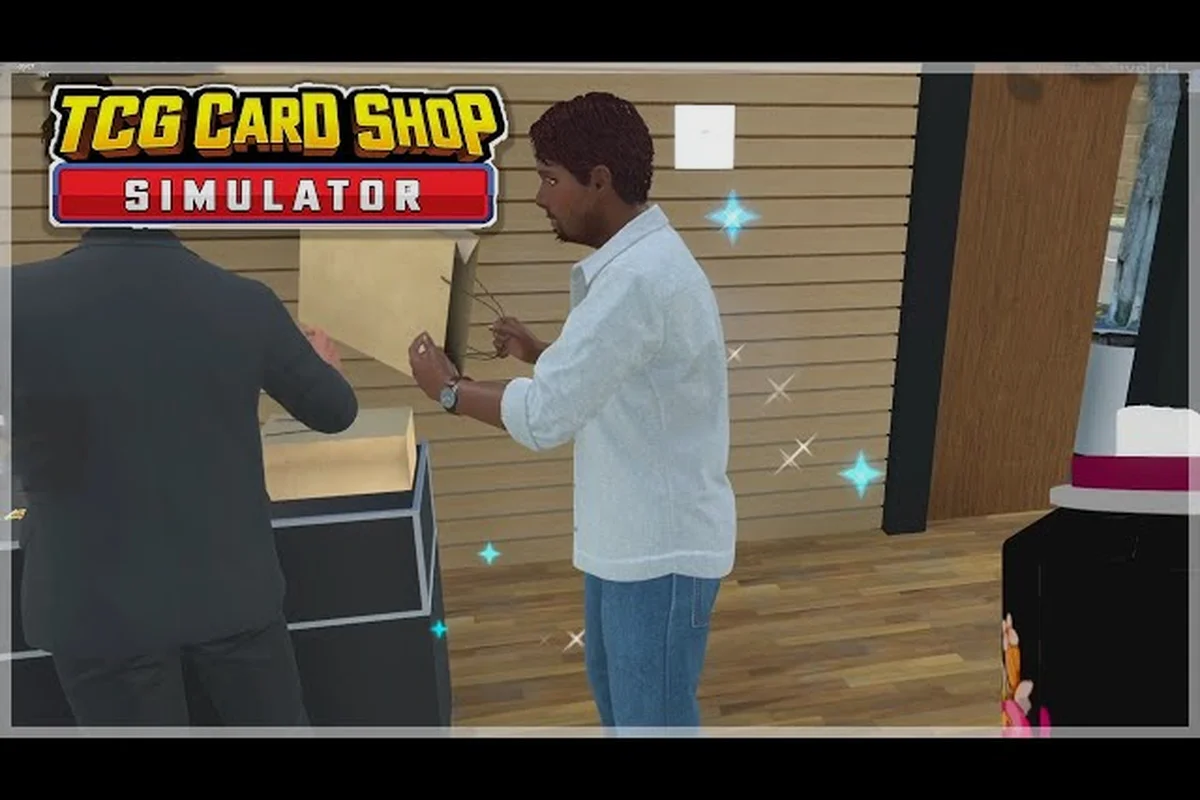
Running a card shop in TCG Card Shop Simulator looks cheerful from the outside — boosters flying off shelves, Tetramon players arguing at the play table, cash registers pinging — but the moment TCG Card Shop Simulator trash and mess creeps in, every other system on the floor starts to wobble. Grime quietly tanks customer satisfaction, lengthens the wait at the checkout counter, and pushes the daily shop rating in the wrong direction long before you notice it on the screen.
This guide breaks down how the hygiene system actually works, why it bleeds into queue management and shop lot b expansion, and the exact placement habits that keep a store humming through rush hour. According to the official TCG Card Shop Simulator Steam page, the simulator caps a single shop at 28 simultaneous customers, which means a single dirty floor tile can cascade into a multi-customer walkout if you let it ride. The mechanics below are tuned to that ceiling, so the numbers line up with what you will see in a freshly opened 1.0 build.
How Trash and Mess Actually Works
The trash system is not decorative. Every wrapper a customer peels off a booster, every empty sleeve, every spilt drink from the vending corner, drops an interactable piece of trash onto the floor. When that trash sits too long, it expands into a mess — a larger stain that other shoppers actively path around, breaking the natural flow through the aisles. The mess counter rises silently, and once it crosses certain thresholds, hidden penalties start to apply.
The Core Hygiene Loop
-
Customer drops trash at the point of unwrapping (typically next to display shelves, the workbench, or the play table).
-
Trash ages through three visible states: fresh, stale, and mess. Mess spreads once aged and contaminates adjacent tiles.
-
Sanitation worker or auto sprayer removes trash, which resets local tile cleanliness and trims the global mess counter.
-
Cleanliness rating recalculates each in-game day, blending the mess counter with how recently tiles were last serviced.
The hidden part is that cleanliness is a system, not a chore. According to community guides on the TCG Card Shop Simulator Steam workshop, hygiene affects both shopper behavior and whether paying play table customers return, which is why auto sprayers installed early protect two revenue streams at once. The same source notes that cleaner shops also see reduced shoplifting attempts, because the simulation treats visible grime as a signal that nobody is watching.
Mess Tiers and What They Cost
| Mess Tier | Visual Cue | Hidden Penalty | Customer Behavior Shift |
|---|---|---|---|
| Spotless | No debris, full polish | +5% checkout speed | Shoppers browse longer, sample higher |
| Light Trash | 1-3 pieces per zone | None | Normal flow |
| Stale Piles | Crumpled stacks near shelves | -2% customer satisfaction | Browsers leave without buying |
| Active Mess | Stained tile clusters | -8% customer satisfaction, +15% queue dwell time | Shoppers reroute, queue stalls |
| Filthy | Floor fully grime-coated | -20% customer satisfaction, customers exit early | Walkouts spike, rating drops |
The interesting design choice is that the Active Mess tier is where checkout counter productivity collapses. A customer who has to step around three stained tiles to reach the register already feels the store is poorly run before the cashier even greets them. That frustration carries into the queue behind them, because each delayed customer pushes the next shopper closer to the patience threshold.
Why Mess Hits Customer Flow and the Checkout Counter
Customer flow in the simulator is pathfinding, not magic. Each shopper runs a quick A-to-B route from the door, around the shelves, to either the checkout counter, the play table, or the exit. When trash sits in their way, the pathfinding engine reroutes them — which sounds harmless, but a reroute almost always pushes them past a display they would otherwise have ignored. Browsers who detour through more aisles also tend to compare more prices, which is fine until they find a competitor's price sticker in the wrong spot.
How Queue Management Breaks Down
Queue management depends on three numbers stacking cleanly: register speed, customer patience, and the cleanliness tax on pathfinding. Drop any one of them and the line balloons.
| Queue Factor | Healthy Range | Warning Zone | Broken State |
|---|---|---|---|
| Active customers in queue | 1-3 | 4-6 | 7+ |
| Average patience remaining | 60%+ | 30-60% | Under 30% |
| Cleanliness tax per tile | 0 sec | +0.4 sec | +1.2 sec or more |
| Walkout events per hour | 0 | 1-2 | 3+ |
Once the cleanliness tax stacks past 1.2 seconds per tile, you are essentially making every customer in the queue wait an extra 30 seconds for a queue of five. That is the moment a single unattended spill becomes a walkout cascade. The fix is rarely a faster cashier — it is a clean floor between the customer and the register.
Register Placement Mistakes That Worsen Mess
The placement of your checkout counter is the single biggest lever you have over mess buildup, because every transaction finishes with a customer standing at the register, often opening a booster right there to check pulls. That means register placement doubles as a future trash hotspot.
-
Placing the register in a dead-end corner traps trash against walls where workers rarely walk.
-
Putting the register directly in front of the door guarantees every exit customer leaves a wrapper between you and new arrivals.
-
Stacking two registers next to each other creates one combined mess zone that neither clerk cleans efficiently.
A well-placed register sits between two aisles, with a clear path back to the door, and a small open floor tile behind it where trash can stack without blocking traffic. That last detail matters more than it sounds, because the simulation routes sanitation workers to the nearest trash, and a tile behind the register is almost always the nearest. A clean pickup means no mess tier transition, and no mess tier means no hidden penalty on the customers still browsing.
Shop Lot B and the Hygiene Expansion Problem
Shop Lot B is the second store area you unlock, and it ships with its own mess economy. Because the new lot has more floor space and more shelf walls, it also has more surface area for trash to age into mess. Players who master the first shop on cleanliness often underestimate Lot B, because they assume the new space behaves like the old one. It does not.
Lot B Differences That Change Your Routine
| Feature | Original Shop | Shop Lot B |
|---|---|---|
| Max simultaneous customers | 18 (pre-expansion) | Up to 28 total across both |
| Default mess aging rate | Standard | 1.15x faster |
| Default number of register slots | 1 | 2 (must be manually placed) |
| Recommended sanitation workers | 1 | 2 minimum |
| Play tables included | 1 | 2 |
The faster aging rate on Lot B is the trap. A wrapper that would sit harmlessly for two minutes in the original shop crosses into the stale pile tier in about 100 seconds on Lot B. That compresses your reaction window, which is why community testing on the Steam Guides section recommends hiring a second sanitation worker before placing the second register.
Linking Lot B to the Original Shop's Flow
The two lots are not separate economies — they share a customer ceiling and a shared queue buffer. When you expand to Shop Lot B, you essentially double the floor area that the same 28 shoppers can wander, which means more aisle, more trash sources, and a longer average distance to the checkout counter. The shared customer flow buffer pushes early-arriving customers to Lot B if the original shop is at capacity, and that is where the mess problem compounds.
The cleanest way to thread the two lots together is to treat them as one continuous customer flow rather than two stores. Place a single wide register pair near the door of Lot B, mirror your original shop's floor plan, and run sanitation routes that sweep both lots in a single loop. Shoppers will naturally drift between the two areas, and their trash drifts with them.
A Practical Hygiene Routine for Steady Queues
A solid daily routine is what separates a 4.7-star shop from a 3.9-star shop once you have unlocked Lot B. The routine below is what experienced clerks run after a few in-game weeks, and it assumes a single sanitation worker on the original lot and two on Lot B. If you are still building the team, the worker schedule guide covers how to stagger shifts so the floor is never unattended.
Daily Open Checklist
-
Sweep both lots at open. Even if the previous day closed cleanly, overnight events can drop one or two mystery wrappers near the play tables.
-
Inspect register zones for stuck mess tiles. Stale piles behind the checkout counter are the most common cause of morning queue slowdowns.
-
Refill auto sprayers before the first rush. Each sprayer covers about a 4x4 tile radius, and an empty sprayer stops sanitizing silently.
Rush Hour Management
-
Watch the patience bar on the longest queue customer. When it drops below 40%, jump to the register yourself even if a worker is staffed there. Manual checkout is about 20% faster and removes the cleanliness tax by clearing the path immediately.
-
Pause play table matches if the mess counter is climbing. A play table customer who walks back to the floor mid-match almost always drops a sleeve wrapper, and that wrapper ages fast during peak.
-
Cycle sanitation workers so one is always sweeping the path between the door and the checkout counter. The other handles deep mess in the back aisles.
Close-of-Day Reset
-
Force a full floor sweep at close, not just a quick pass. The simulation remembers the day's mess state when it calculates tomorrow's starting cleanliness, so a half-clean close means a half-clean open.
-
Move trash from the corners even if it is still in the fresh tier. Corner trash ages into mess overnight because no shopper path touches those tiles.
-
Check the shop rating trend line in the management app. A shop that closed at 4.5 stars but had a 4.1 mid-day dip is one dirty shift away from a real downgrade.
The cleanup rhythm is what locks in queue management consistency. Once the floor stays clean enough that the cleanliness tax per tile holds under 0.4 seconds, queues stop stalling even during peak Tetramon tournament nights.
Frequently Asked Questions
Does trash and mess really affect the shop rating, or is it just visual?
Yes, it affects the rating directly. According to community data, the hidden customer satisfaction penalty from active mess tiers feeds into the daily shop rating calculation, and a single filthy day can cost 0.2-0.4 stars depending on how long the mess stayed active.
How many sanitation workers do I need for Shop Lot B?
At least two, and ideally three if you are running the full 28-customer ceiling. The faster mess aging rate on Lot B means one worker cannot keep up with the trash output of a full play table area plus a busy register.
What is the best register placement for queue management?
Place each register between two aisles with about two open tiles of clearance behind it, and never directly in front of the door. This keeps the pathfinding engine from routing customers through mess tiles on their way to pay, and it gives sanitation workers a clear pickup target.
Can auto sprayers fully replace sanitation workers?
Not fully. Auto sprayers handle the steady drip of fresh trash efficiently, but they do not clear stale piles or active mess, and they do not pick up dropped items. A human worker is still required for the heavier cleanup, which is why most optimized shops run one or two workers alongside two to three auto sprayers.
Does the cleanliness system change after the 1.0 release?
The 1.0 build on September 15, 2026 stabilized the hygiene numbers that were in flux during Early Access, including the mess aging rate on Lot B. Patch notes from the announcement feed suggest further tuning is possible, so treat the rates above as current as of that date and recheck the official patch notes if you notice queue slowdowns after an update.