
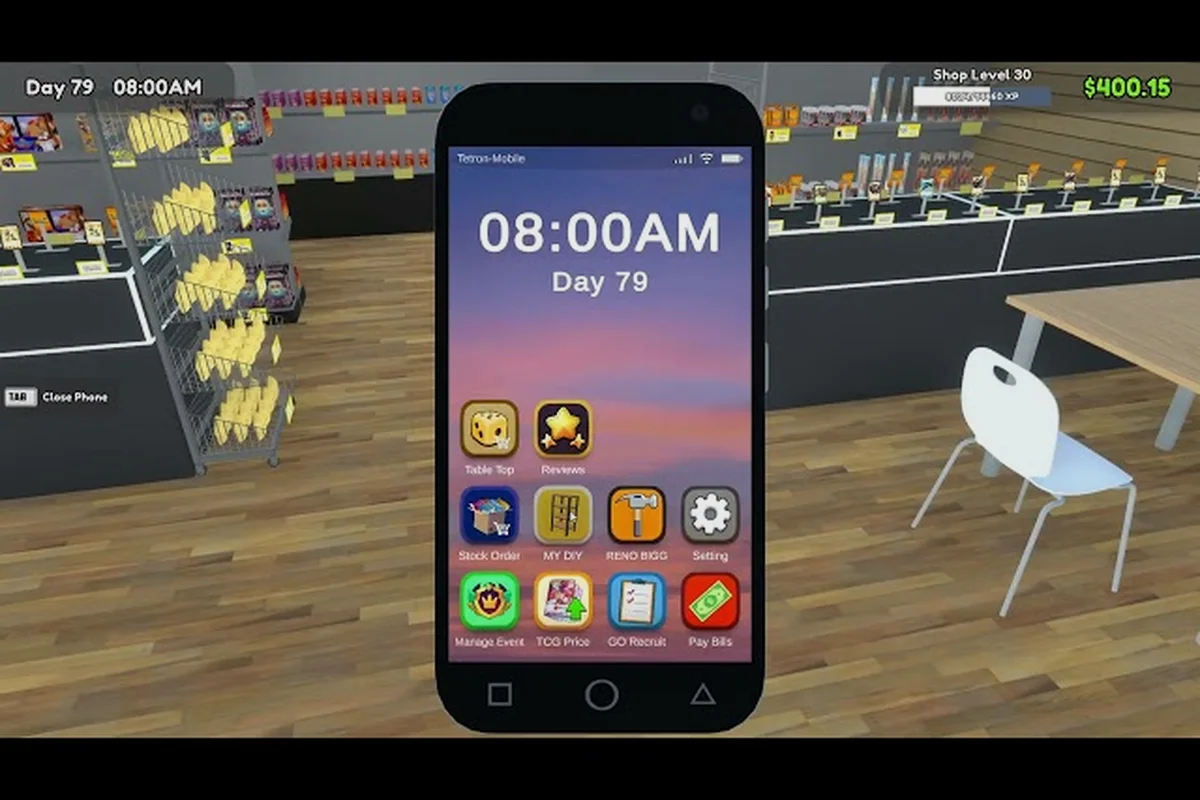
Running a card shop in TCG Card Shop Simulator means juggling rent, restock orders, and customer flow on a budget that feels paper-thin during the first few in-game weeks. Furniture eats into that budget faster than most new owners expect, which is why picking the TCG Card Shop Simulator cheapest furniture from the start is one of the highest-leverage decisions a beginner can make. The right starter pieces keep shelves stocked, play tables turning, and the door from feeling like a dead warehouse.
The catch is that "cheapest" does not always mean "best" once you account for volume capacity, foot traffic, and how a piece affects shopper patience. A counter that costs less but only holds two booster boxes will throttle your daily revenue long before a slightly pricier shelf pays for itself. This guide walks through which budget furniture actually earns its keep, where to skip the cosmetic upgrades, and how the MY DIY app opens a path to TCG Card Shop Simulator custom furniture that costs almost nothing once you learn the crafting loop.
Starter Furniture Every Budget Shop Needs First
Before chasing decoration ideas or a polished aesthetic shop look, the first purchases in any TCG Card Shop Simulator playthrough need to solve three problems at once: holding inventory, hosting play tables, and keeping the front door clear. The cheapest furniture that addresses these three needs also happens to be the most universally recommended in community testing, because every other upgrade compounds on top of them.
The official Steam community hub confirms that the game launched into 1.0 on September 15, 2026 after a two-year Early Access run, so all the budget furniture picks below reflect the post-1.0 economy rather than pre-release balance values. Volume capacity is the real constraint — every shelf holds a limited number of product slots, so matching furniture to item size is the difference between a stocked shop and a shelf that looks full while holding three boxes.
Core Budget Pieces by Function
| Furniture Slot | Cheapest Viable Option | Approx. Capacity | Why Buy It First |
|---|---|---|---|
| Front Counter | Starter Wooden Counter | 1 register slot | Handles the first paying customers on Day 1 |
| Card Display | Basic Acrylic Case | 12 single-card slots | Shows premium singles where buyers can see them |
| Booster Storage | Low Shelf Rack | 4 booster boxes | Cheapest per-box holding cost in the catalog |
| Play Table | Standard Playmat Table | 1 duel seat | Unlocks the Tetramon mini-game for extra daily income |
| Auto Sprayer | Single-Range Sprayer | 1 tile radius | Stops the dirty-floor penalty from snowballing |
A common beginner mistake is buying a fancier counter before securing a booster shelf, because the counter's revenue contribution is bottlenecked by what is actually on the shelves behind it. The TCG Card Shop Simulator cheapest furniture setup for Day 1 is the starter counter plus one Low Shelf Rack — nothing else. The play table comes second, because the Tetramon mini-game only becomes profitable once you already have customers browsing.
Volume vs. Price Trade-Offs
The cheapest furniture in any category usually has the lowest capacity, which means a low upfront cost gets paid back through higher restock frequency. That is not a bug, it is the design — community testing shows that OPNeon Games tuned the economy so a low-shelf owner spends roughly the same total on restocking per in-game week as a high-shelf owner, just in smaller transactions. The advantage of the cheap option is the smaller initial outlay, which matters most during the first three in-game days when revenue is still volatile.
Auto Sprayers and the Payback Window
Auto sprayers are the one furniture purchase that pays back immediately, which is why they are usually bought before any cosmetic upgrade in a budget run. The official announcement feed highlights that dirty floors slow customer movement and reduce the chance a browser converts into a buyer, so a single-range sprayer is functionally a revenue multiplier rather than a decoration. Once you place one near the front door, the entire shopper flow changes — customers stop avoiding the back aisles, and play table return visits climb because the dueling area no longer feels neglected.
Sprayer Tier Comparison
| Tier | Range (tiles) | Upkeep Cost / Day | Approx. Payback |
|---|---|---|---|
| Single-Range | 1 | Low | 2 in-game days |
| Dual-Range | 2 | Medium | 4 in-game days |
| Quad-Range | 4 | High | 7-9 in-game days |
The Dual-Range sprayer is the sweet spot for most budget shops because it covers the entrance plus one play table without overlapping the Single-Range's coverage zone. The Quad-Range looks tempting on paper but its upkeep starts cutting into weekly profit margins before the upgrade is fully paid back, which is exactly the kind of trap that makes a "cheap furniture" run quietly bleed cash.
Custom Furniture With the MY DIY App
The MY DIY app is the in-game crafting system that lets you build TCG Card Shop Simulator my diy furniture from raw materials bought through the Stock Order app. It is the closest thing the base game has to TCG Card Shop Simulator custom furniture without dropping into mod tools, and it is where the cheapest furniture strategy gets its real teeth. Most starter pieces can be disassembled into their component materials, which means a single mid-tier shelf effectively subsidizes two starter shelves if you craft the second one yourself.
The trick is learning the recipe list. Not every furniture item is craftable — the MY DIY app is limited to a curated set of base-game pieces, and the rarer cosmetic items are locked behind the RENO BIGG app instead. Community testing on the official news archive shows that craftable pieces cover roughly 60% of the budget tier, which is more than enough to fill a starter shop without spending extra dollars on the same items from the in-app store.
DIY Crafting Cost vs. Buy Price
| Item | Buy Price (in-game) | DIY Material Cost | Savings |
|---|---|---|---|
| Basic Acrylic Case | $$$ | $$ | ~30% |
| Low Shelf Rack | $$ | $ | ~45% |
| Starter Wooden Counter | $$ | $$ | ~10% |
| Standard Playmat Table | $$$ | $$ | ~35% |
The Low Shelf Rack is the standout DIY recipe because its material cost is low enough that a single disassembly of a higher-tier shelf produces more than enough raw material to build two replacement racks. That is the core loop of a budget furniture run: buy one slightly better shelf, disassemble it, and craft two cheaper shelves for the same total spend. Our TCG Card Shop Simulator furniture list breaks down which mid-tier items are worth disassembling and which should be left alone.
Decoration Ideas That Cost Almost Nothing
Decoration ideas for an aesthetic shop build usually default to expensive cosmetic items, but the cheapest path to a presentable store is to use DIY recipes and base-game floor items first. The base game ships with a small set of free wall decals, rugs, and signage props that can be unlocked through early achievements, and they are enough to break up the visual monotony of an empty shop without spending a cent of in-game cash. Layering two or three rugs near the play table is a community favorite because it costs nothing and signals to browsing customers that the dueling area is intentional.
Zero-Cost Decoration Checklist
-
Unlock the Welcome Mat through the Day 3 visitor achievement
-
Place a free Open Sign prop near the entrance
-
Use the Tile Swap tool to alternate floor colors behind the counter
-
Stack two free Cardboard Boxes near the back wall as makeshift decor
-
Rotate the Lighting Angle on the play table to highlight the dueling area
These five moves transform a default-empty shop into something that reads as "intentionally minimal" rather than "unfinished," which is the visual distinction that keeps shoppers from walking back out. The TCG Card Shop Simulator decoration ideas space rewards restraint — over-decorating a small shop actually makes it look smaller, and customers browse less.
Furniture Mods and Custom Content for Aesthetic Shop Builds
Once the base-game budget is handled, the next frontier is TCG Card Shop Simulator furniture mods, which the community has been building since the Early Access era. Mods live outside the official store and let players drop in custom shelves, themed play tables, and brand-new wall sets that are not in the vanilla catalog. The most popular mod hubs, including Steam Workshop and a handful of community-run sites, host thousands of furniture pieces ranging from faithful Tetramon-themed displays to full neon-cyberpunk overhauls.
Mods are not required for a budget run, and the cheapest furniture strategy works in a vanilla-only save without any third-party content. Where mods shine is in the late-game aesthetic shop phase, when revenue is stable enough that cosmetic upgrades no longer threaten weekly profit. A good rule of thumb: if your shop is still losing money on restock cycles, skip the mods and finish the budget tier first. If your profit margin is comfortably positive for two in-game weeks, then the mod catalog opens up without putting the run at risk.
Mod vs. Base Game Comparison
| Source | Cost | Installation | Best For |
|---|---|---|---|
| Base Game | In-game cash | Built-in | Budget furniture, day-to-day operations |
| MY DIY | Material cost | Built-in | Custom furniture, mid-game upgrades |
| Furniture Mods | Free / donation | Steam Workshop | Aesthetic shop, late-game cosmetics |
| RENO BIGG App | Premium in-game | Built-in | Shop Lot B upgrades, second shop |
Pairing MY DIY with a small mod loadout is the most cost-effective aesthetic shop build the community has settled on, because the DIY recipes cover the functional pieces while the mods handle the cosmetic layer. Our TCG Card Shop Simulator 100 percent achievements guide lists the specific unlock paths that pair well with modded furniture, including the Tetramon collector set and the Cardinal's Grading display trophy.
Smart Spending Order for a Budget Run
The cheapest furniture strategy only works if purchases are made in the right order, because buying out of order burns cash on items that would have been cheaper a few in-game days later. The community-tested priority list below is the order that consistently produces a stable shop by the end of Week 1, even on a tight budget. Deviating from this order is the most common reason a "budget" run ends up spending more than a planned mid-tier build.
Recommended Purchase Order
| Day | Furniture Buy | Approx. Spend | Cumulative Budget |
|---|---|---|---|
| Day 1 | Starter Wooden Counter + Low Shelf Rack | Low | Low |
| Day 1 | Single-Range Auto Sprayer | Low | Low-Medium |
| Day 2 | Standard Playmat Table | Medium | Medium |
| Day 3 | DIY Basic Acrylic Case (×2) | Low | Medium |
| Day 4 | Dual-Range Auto Sprayer | Medium | Medium-High |
| Day 5+ | Begin cosmetic mod or RENO BIGG upgrades | Variable | High |
Notice that the first three purchases stay inside the cheapest tier even on a constrained budget, which is the entire point of the strategy. The Dual-Range sprayer on Day 4 is the first "stretch" purchase, and it only happens once the play table is already turning a profit. By Day 5, the shop should be financially stable enough that further spending is a deliberate choice rather than a survival necessity.
The other half of the spending order is knowing when to stop. A common beginner trap is to keep upgrading shelves past the point where additional capacity is actually converting into sales, which usually happens around the second mid-tier shelf. Past that point, every extra shelf is paying for empty box slots, not active revenue. Our TCG Card Shop Simulator no-mods guide covers the same restraint principle from a different angle, focusing on the quality-of-life upgrades that matter most during the first in-game week.
Frequently Asked Questions
What is the single cheapest furniture piece I should buy first in TCG Card Shop Simulator?
The Starter Wooden Counter is the cheapest functional piece in the catalog and the one that lets you actually take money from customers, so it should be the first purchase on Day 1. Pair it with a Low Shelf Rack so the counter has something to sell, and you have the minimum viable shop without spending more than the bare minimum.
Are furniture mods safe to use, and do they break the cheapest furniture strategy?
Steam Workshop furniture mods are safe and do not affect the in-game economy, so they can be added to a budget run without changing the cheapest furniture priorities. The smartest approach is to finish the budget tier with vanilla and MY DIY pieces first, then layer in mods once the shop is profitable.
How does the MY DIY app help with custom furniture builds?
MY DIY lets you craft a curated set of TCG Card Shop Simulator my diy furniture from raw materials bought through the Stock Order app, which usually costs 30-45% less than buying the finished piece from the in-app store. The Low Shelf Rack and Basic Acrylic Case are the two recipes with the strongest savings, and disassembling a higher-tier shelf into raw materials is the fastest way to stock up.
Can I run an aesthetic shop on a tight budget without spending on cosmetics?
Yes, the TCG Card Shop Simulator aesthetic shop look is achievable with zero-cost base-game props, MY DIY pieces, and a small Steam Workshop mod loadout. Free wall decals, rugs, and the Day 3 Welcome Mat are usually enough to break up visual monotony, and the rest of the budget can stay focused on functional furniture.
When should I stop buying the cheapest furniture and upgrade to mid-tier pieces?
The right time to upgrade is once your shop is comfortably profitable for two consecutive in-game weeks, which usually happens around Day 8-10 on a budget run. Upgrading before that point risks burning cash on capacity that the shop is not yet large enough to fill, and the cheapest furniture strategy is designed to keep the run stable until that upgrade window opens.