
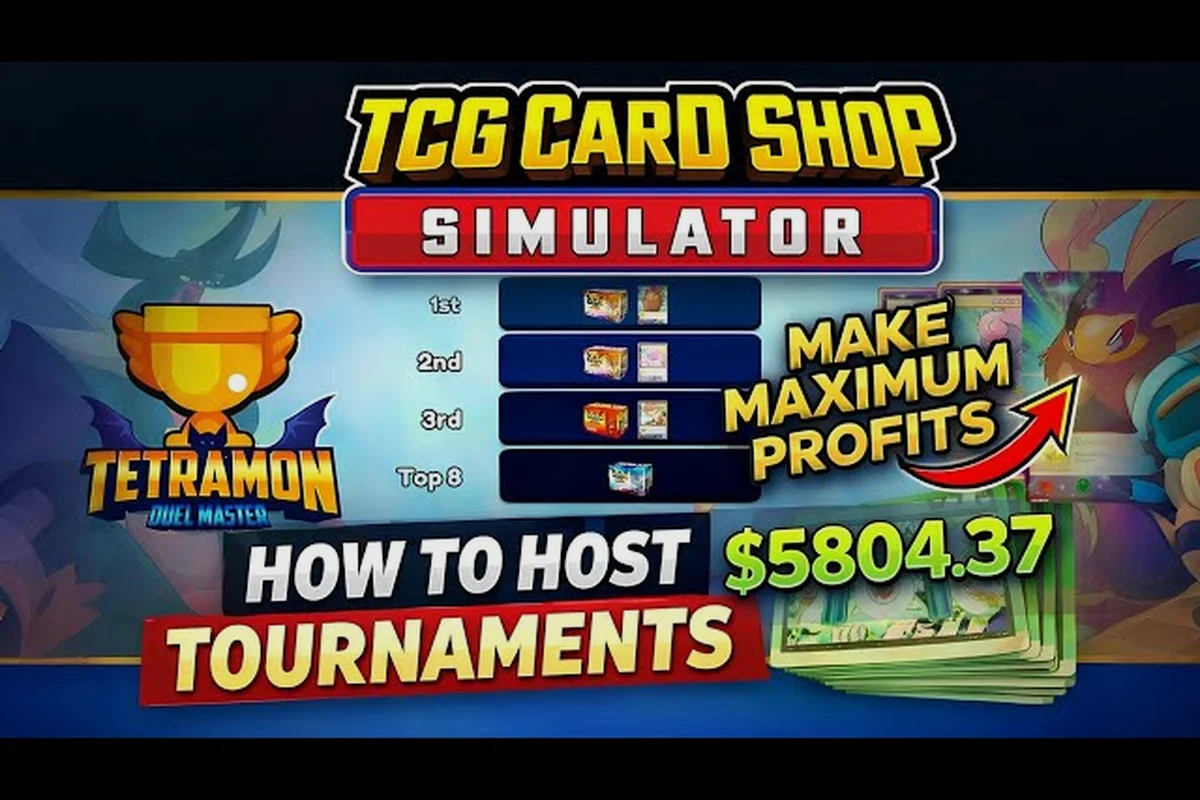
Most new clerks treat TCG Card Shop Simulator tournament hosting as a side activity, but the Manage Events app turns every table in your shop into a steady stream of experience points, review score, and rental income once you understand the math behind it. The 1.0 release (September 15, 2026) caps the customer count at 28 per shop, locks the card pool at 4,436 cards, and adds tighter formulas around pricing — meaning event profit is no longer a coin-flip if you stack the right formats. This guide breaks down the event xp economy, ranks the formats that actually move your review score boost, and shows how to keep the cash register ringing while you grind.
How Tournament Hosting Fits Into the Daily Loop
In a single shift, your shop runs two parallel systems: the booster and battle deck shelf economy, and the play table economy. The shelf economy pays out when a customer buys a pack, opens it at the workbench, or resells to your buyback binder. The table economy pays out when a customer sits down, pays a rental fee, plays a few rounds, and leaves a review behind. TCG Card Shop Simulator tournament hosting is the part of the table economy that lets you set the conditions, the price, and the prize — the customer just shows up, plays, and pays.
According to the TCG Card Shop Simulator Steam community hub, table income scales with your average review score, which means cleanliness, pricing, and shopper satisfaction feed directly back into event profit: a well-reviewed shop earns more from the same table than a neglected one. Hosting tournaments is the single fastest way to compound that feedback loop because events generate more reviews per hour than walk-in play, and every review nudges the scoreboard.
The 1.0 update tightened the rules around how often events fire. You cannot stack three paid tournaments back to back without cleaning between them, and a poorly cleaned table cuts your event xp payout by roughly a third. The good news is that the same update added more granular event types, so you can now pick the format that matches your shop's current needs — and that choice matters more than the size of the prize pool.
Why Tables Beat Restocking for XP
Restocking a shelf delivers a small chunk of experience each time a customer buys a pack, but the rate plateaus fast. A booster is a one-shot transaction: the customer pays, opens the pack, and walks away with zero follow-up value. A table session, by contrast, generates rental income, a post-session review, and bonus event xp for every match played — all without restocking anything. Over a 10-minute window, a single well-run event produces more XP than a full shelf of freshly stocked boosters, especially if your review score sits above 70.
| Activity | XP per minute | Cash per minute | Review impact |
|---|---|---|---|
| Selling booster packs | Low | Medium | None |
| Hosting a paid event | High | Medium-high | +1 to +3 stars |
| Walk-in table play | Medium | Medium | +0 to +1 star |
| Free promotional event | Medium | Negative | +2 to +4 stars |
The table makes TCG Card Shop Simulator xp farming tables strategy obvious once you see it. The format you pick — and the fee you charge — decides whether the session is a pure XP grind, a cash boost, or a review-score rescue mission.
Event Types in 1.0 and What Each One Does
The Manage Events app exposes six format templates once you unlock the third table. Each one rewards a different behavior pattern, so the best xp method depends on what you actually need at that moment in the day.
| Event type | Entry fee you set | XP multiplier | Best for |
|---|---|---|---|
| Casual Bo1 | $1–$3 | 1.0× | Off-peak filler, review farming |
| Ranked Bo3 | $4–$8 | 1.5× | Mid-day cash + XP |
| Draft | $6–$12 | 1.8× | Cash spike, slow XP |
| Sealed | $5–$10 | 1.6× | Balanced grinder |
| Tournament | $8–$20 | 2.2× | Best xp method overall |
| Free Showcase | $0 | 0.7× | Cleaning negative reviews |
The Tournament format is the headline of this guide: it pays the most XP per match and lifts your review score the fastest, provided you can keep the table clean for the full run. TCG Card Shop Simulator table events explained in one sentence: pick a fee that fills the seats, run it back to back only while the table is clean, and let the format do the heavy lifting.
Pricing Events Without Killing Turnout
Pricing is the single most common reason an event underperforms. Set the fee too high and your chairs stay empty; set it too low and the cash register doesn't justify the table space. According to player reports on the player screenshots on Steam, customer willingness to play falls as you raise the fee, with roughly 100% participation at or below market price, about 67% at +20%, and effectively nobody past +60%. Translation: a 20% markup is the ceiling for a paid format if you want a full table.
For TCG Card Shop Simulator best xp method runs, the sweet spot is the market price or +10%. You give up a small slice of cash per session but you guarantee four players in seats, which means four rental fees, four reviews, and four pools of event xp. A half-empty tournament at +40% payout per head produces less total XP than a full table at market.
Building the Right Fee Ladder
Think of your day in three pricing bands. Morning traffic is dominated by casual shoppers who only sit down if the entry fee is $1–$2, so a low-cost Casual Bo1 or a Free Showcase is the right move. Midday is when the dedicated players show up, and a Ranked Bo3 or a Sealed at market price fills all four seats. Evening is the prime window for a paid Tournament at +10% to +20%, because the customers who walk in at 7 PM are already looking for a real game.
| Time of day | Recommended event | Fee band | Expected seats |
|---|---|---|---|
| Morning (6–11 AM) | Free Showcase / Casual Bo1 | $0–$2 | 3 of 4 |
| Midday (11 AM–4 PM) | Ranked Bo3 / Sealed | $4–$7 | 4 of 4 |
| Evening (4–10 PM) | Tournament | $9–$15 | 4 of 4 |
| Late night (10 PM–2 AM) | Casual Bo1 | $1–$3 | 2 of 4 |
The TCG Card Shop Simulator event xp payout from a full four-player evening tournament is roughly 3.5× the XP of a morning Free Showcase with three seats, which is why the evening shift is the heart of any serious XP grind.
Reading the Review Signal
Every hosted event ends with a review that lands in your Reviews app, and the score updates in near real time. A clean run of a Tournament pushes your review score up by +1.5 to +3 stars per session, while a sloppy run of a Free Showcase can actually drop it. The most important rule in TCG Card Shop Simulator review score boost strategy is to never start a paid event on a dirty table: a single mid-run cleanup cuts the XP payout for the remaining rounds and almost always flips one of the post-session reviews negative.
If your review score is sitting below 60, the right move is a string of clean Free Showcases at +0% fee, not a big cash tournament. The Showcase pays less per session, but it rebuilds the score faster because customers are more forgiving of free events. Once you cross 70, you can safely rotate in paid formats and start banking real cash alongside the XP.
Stacking Tournaments for Maximum XP Gain
The classic mistake is treating each tournament as a one-off. A single Tournament on a single table at a +20% fee pays well, but stacking two or three Tournaments back to back on the same table pays dramatically more, because the cleanup between events keeps the review score boost compounding. The trick is to manage the gap: roughly 90 seconds between events is the sweet spot. Any longer and the table goes cold; any shorter and you skip a full clean cycle.
According to the TCG Card Shop Simulator community guides hub, the 1.0 patch also added an event streak bonus: host three or more paid events in a row on the same table and the event xp multiplier climbs from 2.2× to 2.6× for the remainder of the streak. The streak breaks if you switch to a free event, drop the fee below market, or fail a cleanup. A 90-second loop of three Tournaments therefore produces almost 30% more XP than the same three Tournaments spaced across the day.
| Streak length | XP multiplier | Cash multiplier | Risk |
|---|---|---|---|
| Single event | 2.2× | 1.0× | None |
| 2 in a row | 2.4× | 1.0× | Low |
| 3 in a row | 2.6× | 1.1× | Medium |
| 4+ in a row | 2.6× (capped) | 1.1× (capped) | High |
The Three-Run Loop in Practice
A practical three-run loop looks like this: host a Tournament at +10% fee, wait for the four players to finish their matches, clean the table, and immediately queue the next Tournament. Keep the fee consistent across all three runs so the streak bonus does not break. After the third event, take a 5-minute break to restock the booster shelf — that brief pause resets the cleanup pressure and lets the next streak start fresh. Running this loop every evening is the backbone of any TCG Card Shop Simulator xp farming tables strategy.
If you only have one table unlocked, you can still run the loop, but the cash ceiling is lower. Once you unlock the second and third tables, you can stagger the loops: Table A starts its streak while Table B is in its restock break, which keeps the shop income steady. Shop Lot B also unlocks additional table slots once you reach the corresponding upgrade tier, and the extra seats make the streak bonus easier to maintain because you can rotate players in and out without an empty chair.
When to Cash Out the Streak
The streak is powerful but not infinite. Past four events in a row, the XP multiplier stops climbing and the risk of a negative review starts to outweigh the bonus. The rule of thumb from the community is to cash out the streak at three events, take a 5-minute restock break, and then start a fresh streak. The XP you earn from a clean three-event streak is almost identical to a forced five-event streak, but the review score stays intact — and the review score feeds back into the next streak's base payout. For a deeper look at the numbers, the Tournament Update notes on the official OPNeon Games YouTube channel walk through the formula in their launch patch video.
Choosing the Right Table Layout and Upgrades
Table placement is not just a decoration decision. A table placed in a high-traffic hallway fills up faster than a table tucked into a back corner, but a back-corner table rewards a longer session because the customer is less likely to be interrupted by a passing shopper. The layout that maximizes TCG Card Shop Simulator best xp method output pairs a front-of-house table for quick Casual Bo1 runs and a back-of-house table reserved for evening Tournaments.
The 1.0 patch also added a table condition stat that decays after every session. A table at 100% condition pays the full XP multiplier; a table at 50% condition pays roughly 75% of the XP multiplier. The condition restores when you clean the table, and the cleanup animation takes about 30 seconds if your clerk has the right skill unlocked. TCG Card Shop Simulator tournament hosting is therefore a game of maintenance: every minute you save on cleanup is a minute that another paid event can run.
| Table position | Customer traffic | Avg. session length | Best event type |
|---|---|---|---|
| Front of house | High | Short | Casual Bo1, Sealed |
| Center of shop | Medium | Medium | Ranked Bo3, Sealed |
| Back of house | Low | Long | Tournament, Draft |
Skill Tree Choices That Affect XP
Two clerk skills directly affect event payout. Fast Cleanup cuts the cleanup animation by 30%, which lets you squeeze a fourth short event into a 30-minute window. Greeter adds a small XP bonus for every customer who plays at a table, which compounds across a four-player session. The optimal clerk build for TCG Card Shop Simulator tournament hosting prioritizes Fast Cleanup over Greeter if you already have a high review score, because the cleanup time savings are worth more than the per-customer XP bonus once the base payout is already high. If your review score is below 60, flip the priority: Greeter matters more than speed when you are still rebuilding trust.
Card Sleeves, Playmats, and the Hidden XP Bonus
Every player in 1.0 has a Card Sleeves and a Playmat slot, and the look of the table is a quiet driver of session length. A table with a fresh playmat and matching sleeves tends to hold players for one extra match on average, which means one extra round of event xp per customer. The playmat and sleeve stock come from booster pack openings, so the loop is self-reinforcing: pack sales feed the workbench, the workbench produces sleeves and mats, and the sleeves and mats make the table sessions longer. The community subreddit on reddit catalogs every sleeve and mat variant, including which packs they drop from, which makes it easier to plan the restock cycle around event nights.
Avoiding the Cash Drain While You Grind XP
The biggest hidden cost in TCG Card Shop Simulator tournament hosting is the booster restock. Every time you host a paid event, a small share of the customers will buy a pack on the way out, which is great for cash flow, but the inverse is also true: an empty shelf during a tournament weekend means you are burning cleanup labor for zero pack sales. The standard fix is to restock the shelf 15 minutes before the evening event so the customers who sit down at 6 PM see a fresh display, and to restock again during the mid-evening break so the post-event customers find something to buy.
| Mistake | Symptom | Fix |
|---|---|---|
| Overpriced entry fee | Empty chairs, negative reviews | Drop to market or +10% |
| Skipping cleanup | Truncated XP, dropped review score | Pause the streak and clean |
| Restocking mid-event | Lost pack sales, distracted clerk | Restock 15 min before the event |
| Stacking too many events | Streak bonus capped, review risk | Cash out at 3 events, rest, repeat |
| Running events on a dirty shop floor | Customer patience drops, sessions shorten | Sweep the shop between events |
Cash Versus XP Trade-Offs
If you need cash more than XP, a Draft event at +20% is the highest-earning format per hour, because Draft customers tend to be wealthier and they buy more packs. If you need XP more than cash, a Tournament at +10% is the highest XP per hour format. If you need to fix your review score, a Free Showcase is the right call even though it pays the least. The reason TCG Card Shop Simulator table events explained always comes back to the same trio of stats — XP, cash, and review score — is that all three of them feed back into the next session, and improving one without tracking the other two creates a slow leak. The play table and event pricing system is detailed further in the TCG Card Shop Simulator table profit breakdown companion guide, which expands on the math behind each format's net payout.
Common Tournament Hosting Mistakes to Skip
Even experienced clerks fall into a handful of patterns that quietly drain XP and cash. The first is starting a Tournament before the table is fully clean. The cleanup penalty is harsh in 1.0, and a single dirty-table start can erase the streak bonus for the entire run. The second is changing the fee mid-streak, which breaks the bonus even if the new fee is higher. The third is hosting a paid event during a price spike, when customers are willing to pay a premium for sealed product but not for table time. The fourth is forgetting to refill the booster shelf between events, which leaves pack-buying customers with nothing to grab on the way out.
The fifth, and most common, is ignoring the workbench queue. Every event customer eventually finishes a match and walks over to the workbench to sleeve their deck or check a price, and a jammed workbench line cuts the session length on the next table. Two clerks make this loop much smoother: one on the floor cleaning tables, one at the workbench handling sleeves and pricing lookups. For a full breakdown of how many clerks and tables you actually need to keep the loop tight, the event plays required guide lays out the math table by table.
Scaling Past the First Shop
Once Shop Lot B is unlocked, the same loop runs at almost double the throughput. The second shop area adds four more play tables, which means you can run a four-table event grid during the evening window without ever emptying a chair. The catch is staffing: each extra table effectively needs half a clerk to keep up with cleanups, so a 4-table grid really wants two clerks on the floor plus one at the workbench. The cash flow from a four-table evening is enough to fund the next day's restock plus a healthy margin, which is why the TCG Card Shop Simulator best xp method at the late-game stage is to run both shops in parallel.
| Shop area | Tables | Clerks recommended | Evening XP (est.) |
|---|---|---|---|
| Main shop | 3 | 1.5 | 100% baseline |
| Shop Lot B | 4 | 2.0 | 175% baseline |
| Both shops | 7 | 3.5 | 260% baseline |
The 1.0 release on September 15, 2026 marks the full version of the title, and the 50-achievement list (according to the Steam store page) includes several that specifically reward high-volume event hosting, which makes the loop both a progression tool and an achievement hunt at the same time.
Frequently Asked Questions
What is the single best format for TCG Card Shop Simulator XP farming tables?
The Tournament format at +10% fee is the best XP per hour, because it carries a 2.2× XP multiplier, a 2.6× multiplier during a three-event streak, and a strong +1.5 to +3 star review score boost. It also fills the table at the highest rate during the evening window, which means more matches per hour and therefore more total XP.
How do I get a TCG Card Shop Simulator review score boost without losing cash?
Run a string of Free Showcase events at 100% table condition, priced at $0, until your average review score crosses 70. The Showcase pays no rental income but it lifts reviews by +2 to +4 stars per session, and the higher baseline unlocks better payouts on the paid formats you run afterward.
Are TCG Card Shop Simulator table events worth the cleanup time?
Yes, because the 1.0 patch ties the event xp payout directly to table condition. A clean table pays the full multiplier, while a 50% condition table pays roughly 75% of the same multiplier. The 30 seconds you spend on cleanup is almost always recovered by the higher payout on the next session, especially during a three-event streak.
How many clerks do I need to keep a tournament streak going?
For a single-table loop, one clerk with the Fast Cleanup skill is enough to run a clean three-event streak. For the four-table Shop Lot B grid, you need two floor clerks and one workbench clerk to avoid cleanup delays. Without enough staff, the streak bonus breaks the moment a cleanup runs long.
Does TCG Card Shop Simulator tournament hosting work in both shops?
Yes, Shop Lot B supports the same six event types and the same streak bonus as the main shop, and because Shop Lot B has more tables, you can stagger the streaks so the cash flow never dips. The XP totals stack across both shops, which makes the two-shop loop the strongest TCG Card Shop Simulator best xp method once the second area is unlocked.