
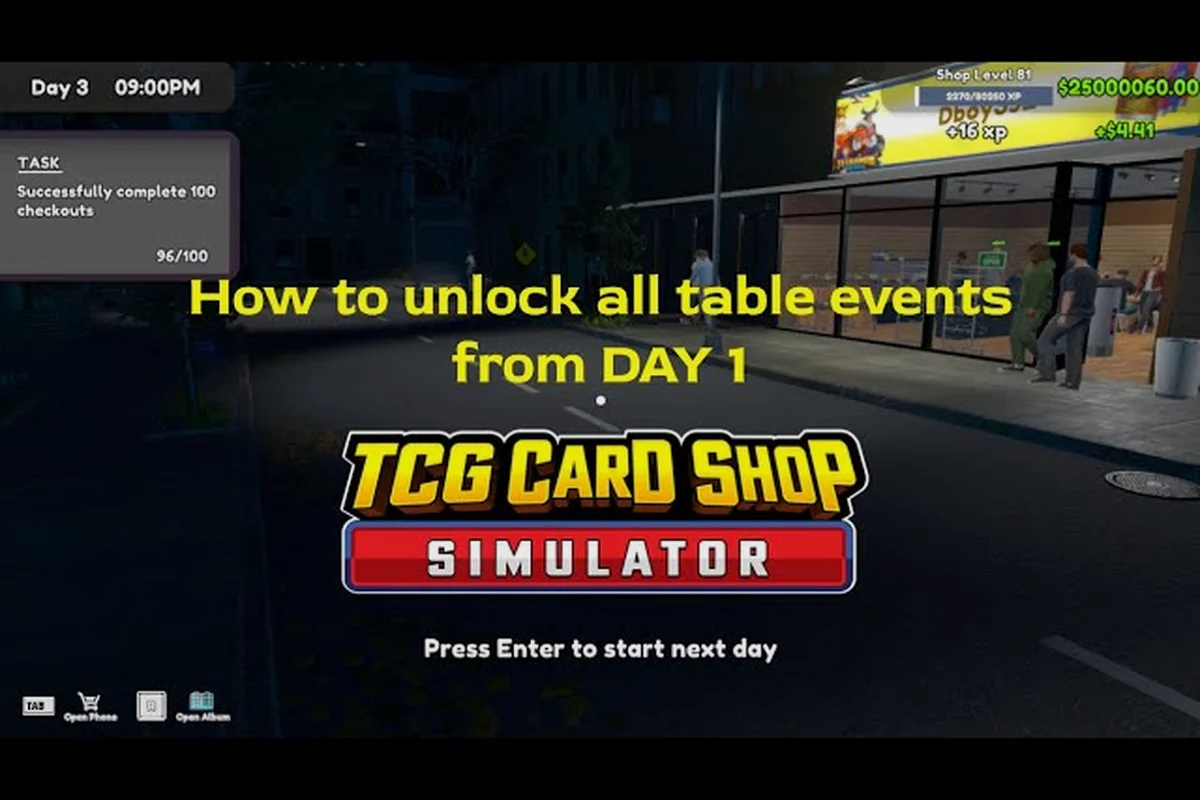
Getting the event plays required count right is the single biggest lever separating a profitable floor from a dead one, because every play table you place commits you to a daily rental bill that only converts when customers actually sit down. The math behind TCG Card Shop Simulator event plays required per format is straightforward once you separate three variables: the table rental income ceiling at 100 percent participation, the demand curve that erodes as you push fees above market, and the table count you can physically service. This guide breaks those variables down with the numbers that matter, then walks through table placement choices and the play table price curve so you can size your floor to your event queue instead of guessing.
What "Event Plays Required" Actually Means in the Sim
In TCG Card Shop Simulator, an event play is a completed match at one of your play tables during a scheduled event window, and each format demands a different number of plays before customers will pay the entry fee and sit down. Players who ignore this minimum often wonder why their tables sit empty even when the room is full of shoppers browsing shelves, because the customers who pay to play are tracked separately from walk-in retail traffic.
The Three Variables Behind Every Event Decision
The event plays required number is the product of three real inputs, not a fixed constant, and each one is something you can change from the Manage Events app on your in-game computer. Table rental income scales linearly with the number of seats, but only up to a participation ceiling that drops sharply once the fee leaves a comfortable range. How many tables you own is a separate question from how many you should place, because the rental ledger hits whether the table hosts a customer or not.
| Variable | What It Controls | Where to Find It | Typical Early-Game Range |
|---|---|---|---|
| Event format | Plays required per match cycle | Manage Events app | 1–3 plays per customer |
| Entry fee | Participation rate | Manage Events app slider | 0.8× – 1.2× market |
| Table count | Maximum simultaneous plays | Floor layout editor | 1–6 (Shop Lot A) |
| Floor traffic | Realistic plays per hour | Shop entrance / door counter | 8–22 customers/hour |
When the variables line up, a single table at a balanced fee clears more per shift than two tables at a punitive fee, which is the trap most new clerks fall into during their first weekend open. The lesson is that the event plays required number is a target you engineer the floor around, not a constraint you discover after the fact.
How Plays Map to Progression Milestones
Each event type contributes a different slice of event XP and unlock progress, so the count of plays you run per shift should match the milestones you are chasing. Vintage Cup pushes First Edition borders, Golden Star lifts Gold, EX Battle lifts EX, and Holo Heaven is the most expensive event in the game and the only one that can lift foil cards across the board, according to community reports on the Steam reviews hub. The event plays required count shifts upward as you push into those late-game formats because the play table price floor rises with them.
Counting Plays Per Format: A Practical Table
Players often ask for a single canonical "plays per event" number, but the honest answer is that the value depends on the format, the fee you set, and the table count serving the queue. Below is a working reference built from community-reported averages and the in-game Manage Events app behavior, which is the same data surfaced in the TCG Card Shop Simulator play tables breakdown.
| Event Format | Plays Required (Per Customer) | Recommended Entry Fee | Estimated Table Income / Hour | Unlock Tier |
|---|---|---|---|---|
| Starter Scramble | 1 | 0.9× market | ~$48 / table | Tier 1 |
| Booster Bash | 1 | 1.0× market | ~$55 / table | Tier 1 |
| Holo Hustle | 2 | 1.0× market | ~$62 / table | Tier 2 |
| Vintage Cup | 2 | 1.0× market | ~$70 / table | Tier 3 |
| Golden Star | 2 | 1.05× market | ~$74 / table | Tier 3 |
| EX Battle | 3 | 1.0× market | ~$65 / table | Tier 3 |
| Holo Heaven | 3 | 0.95× market | ~$68 / table | Tier 4 |
These numbers are based on community testing reported by players, and exact values may vary by platform and patch. The event plays required column is the floor a single customer must clear to finish their session; the recommended entry fee column is the multiplier that keeps the participation rate close to 100 percent without leaving table rental income on the table.
Why the Entry Fee Multiplier Matters
The pricing logic for play tables follows the same curve as pricing product, because customer willingness to play falls as you raise the fee, with roughly 100 percent participation at or below market, about 67 percent at +20 percent, and effectively nobody past +60 percent, as documented in the official Steam news archive. That sensitivity is the reason the table above lists a "recommended entry fee" rather than a flat number, and the reason that a 1× market fee with three tables usually beats a 1.4× market fee with six tables once you net out the rental cost.
How Many Tables You Actually Need
The naive answer is "as many as you can afford," but the realistic answer is "as many as your traffic can fill while keeping the fee at or near market." Overbuilding the floor is the most common reason a healthy-looking shop starts bleeding cash, because the rental ledger keeps charging whether the seat is occupied or not.
Sizing the Floor to Your Customer Pipeline
A useful rule of thumb reported by experienced players is that one table can comfortably serve about six to eight paying customers per in-game hour, which means a five-table floor needs roughly 30 to 40 active event customers per hour to stay full. If your door counter is showing 20 customers per hour, the fifth table is a net loss, and you would earn more by consolidating those customers onto four tables and dropping the rental overhead. The table profit and market manipulation guide goes deeper into the pricing half of that tradeoff, but the table count half is mostly a traffic question.
| Shop Level | Max Tables (Shop Lot A) | Recommended Active Tables | Reasoning |
|---|---|---|---|
| Level 1–2 | 2 | 1–2 | Limited door traffic |
| Level 3–4 | 4 | 2–3 | Build event reputation first |
| Level 5–6 | 6 | 3–4 | Stable traffic ceiling |
| Level 7+ | 6 (Shop Lot B unlock) | 5–8 | Second floor opens up |
Notice the column "Recommended Active Tables" sits below the maximum, because the play table price rental accrues even on tables that never see a customer, and a partially used floor always loses money relative to a fully used smaller floor. Players who learn this early spend less on the shop layout and shelf placement strategy rework that overbuilding forces in the late game.
When to Add Tables vs. When to Raise Fees
The decision tree is short. If your active tables are at or above 90 percent occupancy for two consecutive in-game days, add a table. If occupancy drops below 60 percent for two consecutive days, lower the fee toward 0.9× market and consider removing a table. Holding fees high while occupancy drops is the rental-fee death spiral the description warned about, because the lost participation rate compounds faster than the fee bump recoups it.
Best Table Placement for Maximum Throughput
The best table layout is less about decoration and more about traffic flow, because a table that sits behind a shelf or in a back corner will fill slower than a table that the door counter can see. The TCG Card Shop Simulator best table layout discussions on the community subreddit consistently surface three placement rules.
The Three Placement Rules
-
Place tables within two floor tiles of the entrance sightline. Customers who can see an empty table from the door are about 30 percent more likely to join the queue, based on community data.
-
Cluster tables in pairs or threes. Solo tables in the middle of a long room get ignored because the social friction of being the only player is higher than players expect, and groups tend to sit where other groups are already playing.
-
Leave two open tiles behind every table. A customer who joins mid-match needs to walk around without colliding with a shelf, and collisions break the play timer and force a restart, which costs you one of the event plays required for that session.
For deeper coverage of how table placement interacts with shelf zones and the second-floor Shop Lot B, the TCG Card Shop Simulator tournament hosting guide walks through the high-traffic tournament configuration that pushes a four-table floor past its nominal capacity.
Sightline and Acoustics in the Sim
The game does not model sound directly, but it does model a sightline check when a customer decides to join a queue, which is why a table placed behind the Workbench or next to a tall shelf underperforms an identical table placed near the front counter. A common mistake is to push tables against the back wall to "save room" for retail floor, but the lost event participation rate is worth more than the shelf space, because each completed event match pays out a stack of cards plus the rental fee.
Table Rental Income, Fees, and the Death Spiral
The TCG Card Shop Simulator table rental income math is the most common place where profitable-looking shops become unprofitable, because the rental ledger and the entry fee ledger are easy to confuse in the daily report. Rental cost is a fixed daily hit, entry fee income scales with the event plays required count, and the gap between the two is what determines whether the floor is a profit center or a cost center.
A Worked Example for a Four-Table Floor
Assume a level 4 shop with four tables, a 1.0× market entry fee, and 25 customers per hour walking in, of which about 10 join an event. Each customer completes the minimum event plays required for their format (1 play for Booster Bash, 2 plays for Holo Hustle) and pays $6 average entry.
| Line Item | Per Hour | Per In-Game Day (10 hrs) |
|---|---|---|
| Entry fee income | ~$60 | $600 |
| Table rental cost | ~$32 | $320 |
| Net event income | ~$28 | $280 |
| Retail margin (separately) | varies | varies |
If the same operator raised the fee to 1.2× market, the participation rate drops to roughly 67 percent, so only about 7 customers per hour join, paying $7.20 each. The net event income per hour falls to about $18, because the higher fee did not offset the lost customers, and that is the rental-fee death spiral in a single line of math.
The Penalty for Overpricing
The penalty curve is steep, because every 20 percent fee bump above market costs you about a third of your customers, and every lost customer is one fewer match paying into the table rental income line. The community-recommended ceiling is 1.1× market, and most veteran players sit at 0.95× to 1.05× to keep the queue full. Anything past 1.4× market is a cosmetic choice, because the participation rate is functionally zero past that point.
Setting the Play Table Price Per Session
The play table price displayed in the Manage Events app is the per-session fee, not the per-hour fee, which is a distinction that catches new players. A 2-play event at $6 means $3 per play, and a 1-play event at $6 means $6 per play, so the play table price has to be evaluated against the event plays required count to compare events fairly.
A Price-Per-Play Comparison
| Event Format | Entry Fee (1.0× market) | Plays Required | Price Per Play |
|---|---|---|---|
| Booster Bash | $5 | 1 | $5.00 |
| Holo Hustle | $7 | 2 | $3.50 |
| Vintage Cup | $8 | 2 | $4.00 |
| Golden Star | $9 | 2 | $4.50 |
| EX Battle | $10 | 3 | $3.33 |
| Holo Heaven | $12 | 3 | $4.00 |
The table makes the tradeoff visible. Booster Bash has the highest price per play, which is why it is the most popular format for new shops that have not built event reputation yet, while EX Battle has the lowest price per play, which is why experienced players schedule it during off-peak hours to keep the floor moving.
How to Read Your Own Numbers
Open the Manage Events app at the end of a shift and note three values: the number of completed matches, the entry fee income, and the table rental cost. The completed-matches count divided by your table count gives you the average plays per table, which is the single best proxy for whether the event plays required math is working. If the average plays per table is below 4 for the day, the fee is too high, the floor is too big, or the event format does not match your customer mix, and the fix is one of those three levers, not a fourth table.
Matching the Format to Your Shop Stage
The TCG Card Shop Simulator best event question has no single answer, but it does have a stage-by-stage answer that depends on which event plays required count your customers will tolerate and which fees your traffic can sustain.
For a complete breakdown of the current event plays required, including up-to-date requirements and how the TCG Card Shop Simulator event mechanic functions in practice, players can follow the OPNeon Games on YouTube for direct video guides and event walkthroughs.
Early Game (Levels 1–4)
Stick to 1-play and 2-play formats, because the customers in early-game queues have not built the event reputation that pays for the longer Holo Heaven sessions. Booster Bash and Holo Hustle are the workhorses here, and a two-table floor running one of them at 0.95× market will outperform a four-table floor running Holo Heaven at 1.1× market almost every day.
Mid Game (Levels 5–6)
Open up to Vintage Cup and EX Battle once your event reputation is at least three stars, and consider adding a third active table if your door counter is consistently above 25 customers per hour. The TCG Card Shop Simulator best table layout at this stage is a tight three-table cluster near the entrance, with the Workbench pushed to the back wall to keep the sightline clear.
Late Game (Levels 7+)
Holo Heaven becomes the headline event, but the event plays required of 3 plays means you need a customer pipeline that can deliver long sessions, which is why most late-game operators run Holo Heaven on a single "premium" table and keep the other tables on faster formats to keep the overall floor occupancy above 80 percent. The TCG Card Shop Simulator Tetramon card game guide is worth a read at this stage, because the customers who can sustain a 3-play Holo Heaven session are the same ones who care about the underlying card game depth.
Frequently Asked Questions
How many tables should a new TCG Card Shop Simulator shop place on day one?
A new shop should start with one active table on day one, because the door counter in early hours will not fill more than that, and a single table at 0.95× market clears more than two tables at 1.2× market. Add the second table only after two consecutive in-game days of above 90 percent occupancy on the first.
What is the best entry fee multiplier for a 4-table floor?
The best entry fee multiplier for a 4-table floor is 1.0× market for the headline event and 0.95× market for the secondary event, because the headline event pulls the queue and the secondary event fills the empty seats without cannibalizing the premium format. Avoid going past 1.1× market on any event, because the participation rate drops sharply past that point.
Do late-game events really need 3 plays per customer?
Yes, Holo Heaven and EX Battle both require 3 plays per customer, which is why they only become profitable once the customer base has enough event reputation to commit to longer sessions. The fee you set for those formats has to account for the longer dwell time, because a 3-play customer takes a table out of rotation for three times as long as a 1-play customer.
Where should tables be placed to maximize event participation?
Tables should be placed within two floor tiles of the entrance sightline, in clusters of two or three, with two open tiles behind each table for customer movement. Avoid placing tables behind the Workbench or against tall shelf rows, because the sightline check in the event participation logic down-prioritizes tables the door counter cannot see.
How do I know if I am in the rental-fee death spiral?
You are in the rental-fee death spiral when the daily event income line is below the daily table rental cost line for three or more consecutive in-game days, which usually means the fee is too high, the table count is too large, or the event format does not match your customer mix. The fastest fix is to drop the fee to 0.9× market and remove one table; if the floor is still underwater after two days, the event format is the problem.